 v2.0.0
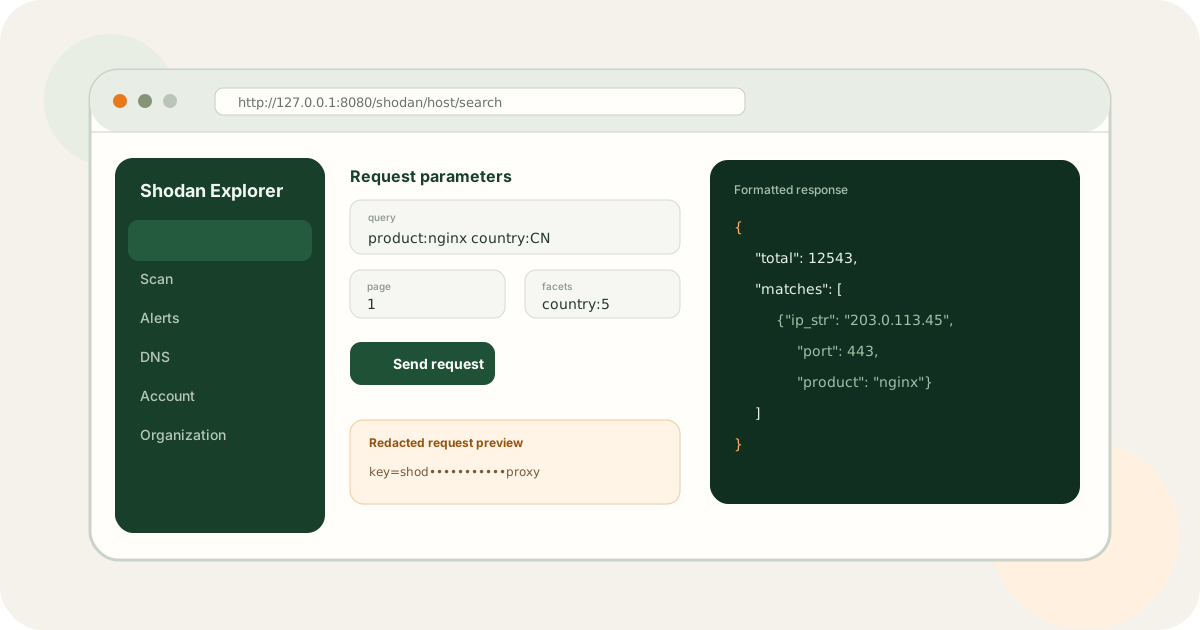
Shodan Explorer: Learn, Test, and Debug the Shodan API in a Browser
A browser workbench that makes Shodan API parameters, requests, responses, and errors easier to understand and debug.
View project →Shodan Skill serves agents and CLI users, Explorer supports browser-based API debugging, and Proxy manages keys and access in controlled networks.
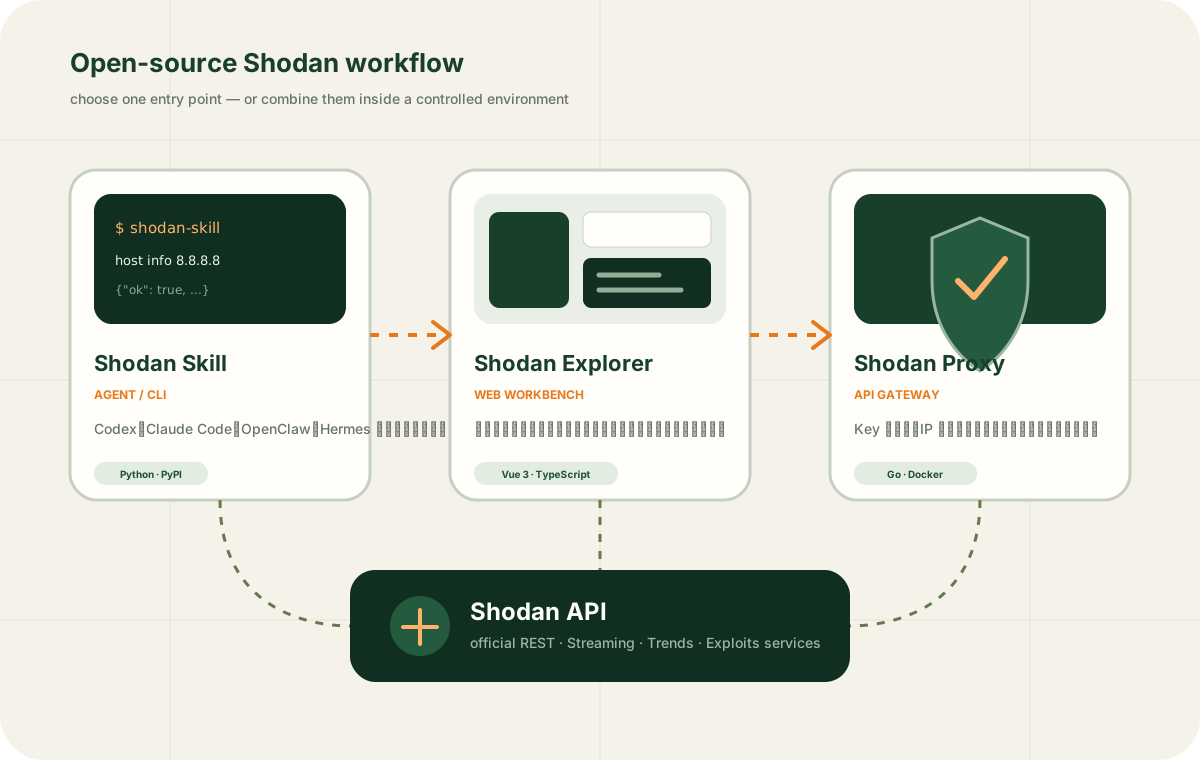
Each MIT-licensed repository works independently and can also be combined with the others.
v2.0.0
A browser workbench that makes Shodan API parameters, requests, responses, and errors easier to understand and debug.
View project →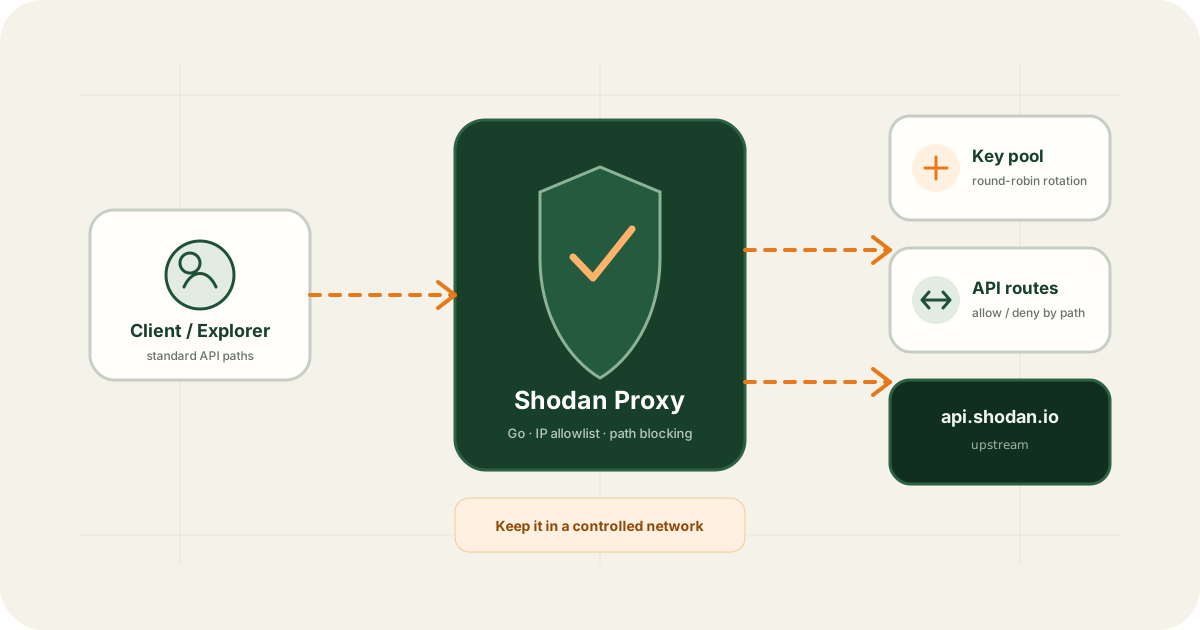 v1.0.3
A lightweight Shodan API gateway for controlled networks that keeps keys server-side, rotates calls, and restricts sources and sensitive paths.
View project →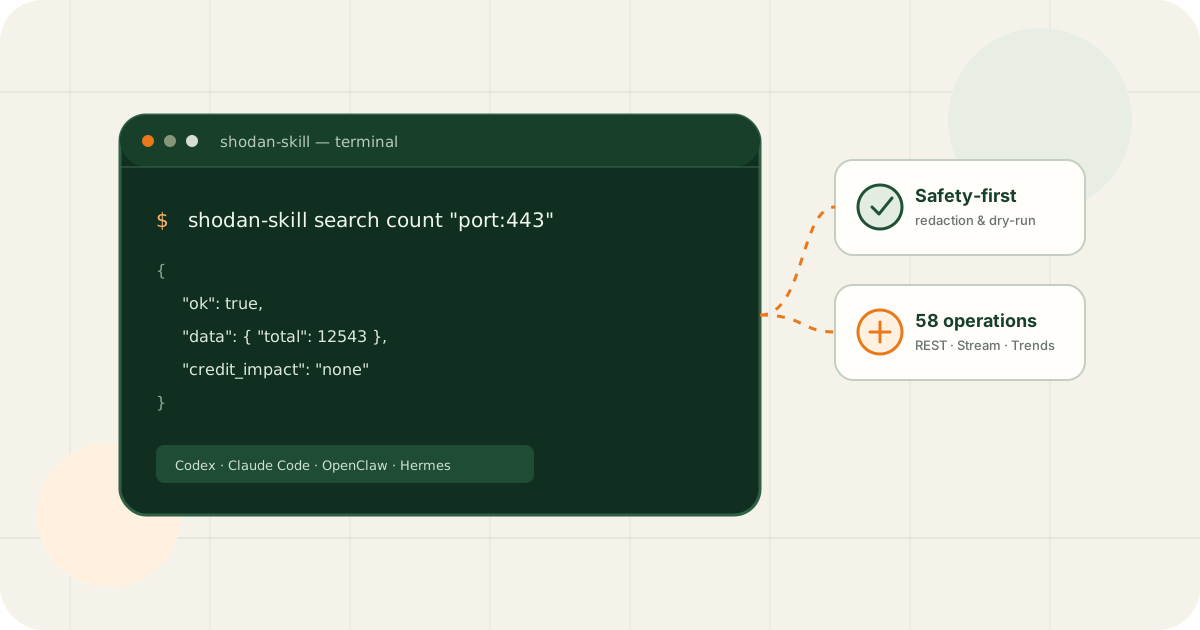 v2.0.1
A Python CLI and portable agent skill that gives people, scripts, and AI agents the same testable, auditable Shodan API implementation.
View project →Use Shodan Skill for a consistent CLI and stable JSON output.
Agent → shodan-skill → Shodan APIUse Explorer forms to understand parameters, paths, and responses.
Browser → Explorer → APIRun Proxy in a controlled network for key pools, allowlists, and path restrictions.
Client → Proxy → Key Pool → APIUnderstand web access, API access, credits, and limitations first.